Forms are one of the most important interactive elements on a WordPress website. Whether you want visitors to contact your business, request a quotation, book an appointment, submit an application, complete a survey, make a payment, or register for an event, you need a reliable form solution.
WordPress does not include a powerful form builder by default, which is why form plugins have become an essential part of the WordPress ecosystem. The right plugin can make it easy to create professional forms without writing PHP, JavaScript, or complicated HTML.
However, choosing a form plugin is not always straightforward. There are hundreds of options available in the WordPress Plugin Directory, and different plugins are designed for different requirements.
In this guide, I am looking at six popular WordPress form plugins that cover a wide range of requirements: Forminator, Contact Form 7, WPForms, Calculated Fields Form, Fluent Forms, and MetForm.
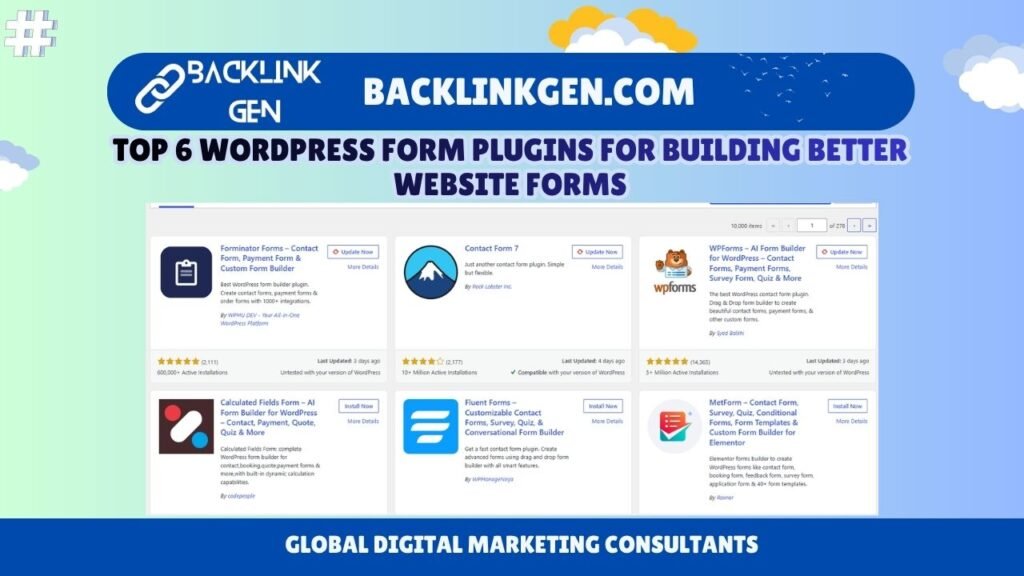
The screenshot below shows these plugins appearing in WordPress search results for the keyword “form.”

The important thing to understand is that there is no single “best” form plugin for every website. A simple business website may need only a basic contact form, while an eCommerce business, educational website, or service marketplace may require calculations, conditional logic, payments, integrations, and advanced automation.
Let’s look at each option.
1. Forminator
Forminator is a flexible WordPress form builder developed by WPMU DEV. It is designed for users who want more than a simple contact form and need features such as payment forms, quizzes, polls, calculations, and custom forms.
One of Forminator’s biggest advantages is its broad functionality. You can use it to create contact forms, registration forms, payment forms, order forms, surveys, quizzes, and other interactive forms.
The plugin uses a visual form-building approach, making it relatively easy for non-developers to create forms. You can add different fields, rearrange them, configure validation, and customize the form according to your requirements.
Forminator can be particularly useful for businesses that want multiple types of forms without installing separate plugins for every requirement.
For example, a digital marketing agency could use it for a contact form, a service quotation form, a lead-generation form, and a customer survey. An educational website could use it for registration forms and quizzes.
Another useful area is integrations. Businesses often need their form submissions to move into another platform, CRM, email marketing system, or payment workflow. Having integration capabilities inside the form builder can reduce the need for custom development.
Best for: Businesses looking for an all-round form solution with contact, payment, quiz, survey, and custom form functionality.
2. Contact Form 7
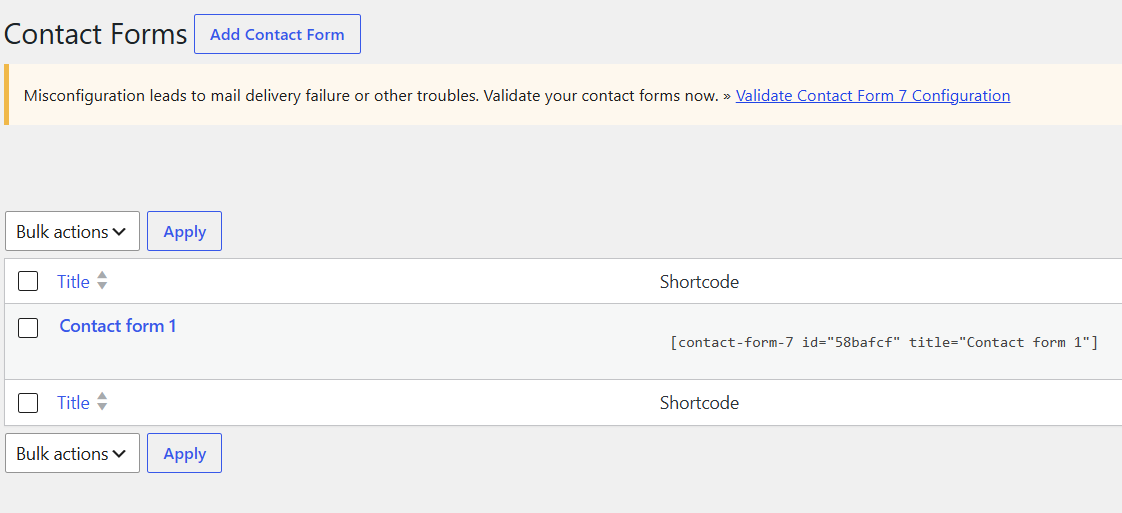
Contact Form 7 is one of the most established form plugins in the WordPress ecosystem. Its philosophy is different from many modern drag-and-drop builders.
Instead of focusing heavily on visual design, Contact Form 7 focuses on creating straightforward contact forms with relatively lightweight functionality.
This makes it a strong choice for developers and website owners who need a simple contact form and do not require an extensive visual form-building interface.
It is also extremely popular, with the WordPress directory showing more than 10 million active installations in the screenshot provided.
The plugin can be extended through additional integrations and extensions, allowing developers to add functionality when required.
One reason Contact Form 7 remains popular is its simplicity. If your website only needs fields such as name, email, phone number, subject, and message, installing a large form builder may be unnecessary.
However, beginners who prefer visual drag-and-drop interfaces may find other plugins easier to work with.
Contact Form 7 is also worth considering when website performance and simplicity are priorities. A basic contact form does not necessarily require dozens of advanced features.
Best for: Simple contact forms, developers, agencies, and websites that do not need an extensive visual form-building system.
3. WPForms
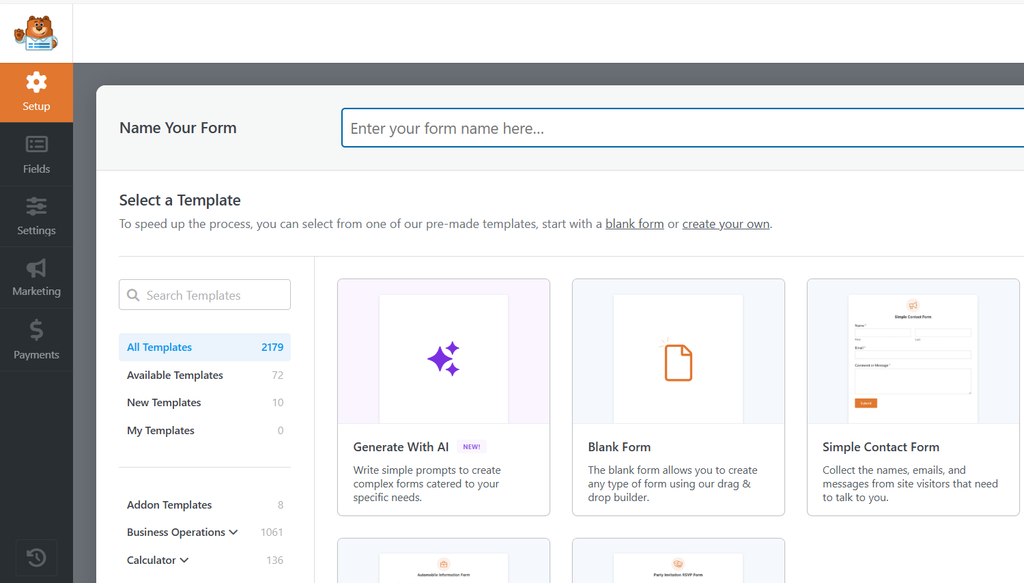
WPForms is another major name in the WordPress form plugin ecosystem. It is designed around a beginner-friendly drag-and-drop form-building experience.
The plugin supports many different types of forms, including contact forms, payment forms, surveys, quizzes, registration forms, and other custom forms.
One of its strongest selling points is ease of use. Instead of manually creating form markup, users can select fields and build forms visually.
For businesses, this can significantly reduce the time required to create and update forms.
Imagine a company wants to add a new “Request a Demo” form to its website. With a visual builder, the marketing team can create the required fields and publish the form without waiting for a developer.
WPForms also provides templates and integrations, which can make it useful for businesses running lead-generation campaigns.
Its large user base is another indication of its popularity. In the WordPress Plugin Directory screenshot, WPForms has more than 5 million active installations and thousands of reviews.
However, users should always compare the features available in the free version with those included in premium plans. Advanced integrations, payment functionality, automation, and certain form features may depend on the plan being used.
Best for: Beginners, businesses, marketers, agencies, and users who want an easy drag-and-drop form-building experience.
4. Calculated Fields Form
Calculated Fields Form is slightly different from the other plugins on this list.
While many form builders focus primarily on collecting information, Calculated Fields Form is particularly useful when your form needs to perform calculations based on user input.
For example, imagine you have a website offering a service where the final price depends on several variables.
A customer might enter:
- Number of units
- Service type
- Project size
- Duration
- Additional services
The form can then calculate an estimated price automatically.
This makes the plugin useful for quotation forms, calculators, financial estimators, product configurators, booking calculations, and similar applications.
Calculated fields can also improve the user experience because visitors do not have to submit a form and wait for someone from the business to calculate the result manually.
For example, a construction company could create a project cost estimator. A moving company could create a moving cost calculator. A fitness website could create a calorie or body-related calculator. A financial website could create an investment calculator.
The key advantage is therefore not simply “forms.” It is interactive forms that calculate results.
If your website requires mathematical logic or dynamic calculations, this type of plugin can be more appropriate than a basic contact form plugin.
Best for: Price calculators, quotation forms, estimators, product configurators, booking calculations, and interactive forms.
5. Fluent Forms
Fluent Forms is another modern WordPress form builder focused on creating advanced forms with a visual interface.
The plugin supports drag-and-drop form creation and is designed to accommodate both simple and advanced requirements.
For businesses, one of the important considerations when choosing a form plugin is not just form creation but what happens after a visitor submits the form.
A lead might need to be sent to an email address, CRM, spreadsheet, marketing platform, payment system, or another business application.
This is where integrations become important.
Fluent Forms is particularly attractive to users who want to build forms that are part of a larger workflow rather than isolated contact forms.
For example, a business could create a lead form that collects customer information and then connects the submission to its marketing or sales process.
The plugin can also be used for surveys, quizzes, conversational forms, registration forms, and other interactive experiences.
Another advantage of a modern visual builder is that marketing teams can make changes without constantly modifying code.
This can be valuable for agencies managing multiple WordPress websites.
Best for: Businesses, agencies, marketers, and advanced users who need modern forms, integrations, conditional logic, and workflow-oriented functionality.
6. MetForm
MetForm is a WordPress form builder particularly relevant for websites using Elementor.
If your website is already built with Elementor and you want a dedicated form-building solution that works closely with that ecosystem, MetForm can be an interesting option.
The plugin supports different types of forms, including contact forms, booking forms, feedback forms, survey forms, application forms, and other custom forms.
Its Elementor-oriented approach allows users to create forms while working within a familiar visual website-building environment.
This can be useful for designers and agencies that want more control over the appearance of forms while building pages in Elementor.
For example, an agency might create a landing page for a paid advertising campaign. Instead of sending users to a separate contact page, the agency can place a customized lead form directly within the landing page design.
Forms can also be customized according to the branding of the website, which is important for businesses that want a consistent user experience.
However, MetForm makes the most sense when Elementor is already an important part of your WordPress workflow.
Best for: Elementor users, designers, agencies, landing pages, booking forms, application forms, and visually customized forms.
Which WordPress Form Plugin Should You Choose?
The best plugin depends on what you are trying to accomplish.
If you only need a basic contact form, Contact Form 7 can be a straightforward choice.
If you want an easy drag-and-drop builder, WPForms is worth considering.
If you want an all-round solution covering forms, quizzes, surveys, payments, and more, Forminator offers a broad feature set.
If your website requires calculations and dynamic pricing, Calculated Fields Form is the more specialized option.
If you want advanced forms and integrations, Fluent Forms is a strong candidate.
And if your website is heavily built around Elementor, MetForm deserves consideration.
Here is a simple comparison:
| Plugin | Best Use Case | Main Strength |
|---|---|---|
| Forminator | All-round business forms | Forms, quizzes, surveys and payments |
| Contact Form 7 | Basic contact forms | Simplicity and popularity |
| WPForms | Beginners and businesses | Drag-and-drop builder |
| Calculated Fields Form | Calculators and quotes | Dynamic calculations |
| Fluent Forms | Advanced workflows | Forms and integrations |
| MetForm | Elementor websites | Elementor-focused form building |
What Should Businesses Look For in a Form Plugin?
Before installing a form plugin, I recommend looking beyond the number of features.
First, consider ease of use. If your marketing team needs to create forms regularly, a visual builder can save significant time.
Second, look at integrations. A form becomes much more valuable when submissions can automatically reach your CRM, email marketing system, spreadsheet, payment gateway, or other business tools.
Third, consider conditional logic. Advanced forms often need to show or hide fields based on what the visitor selects.
Fourth, check spam protection. Forms are common targets for automated spam submissions, so features such as CAPTCHA, honeypots, or other anti-spam mechanisms can be important.
Fifth, consider mobile responsiveness. A large percentage of website visitors may complete forms on smartphones, so fields and buttons need to remain easy to use on smaller screens.
Finally, consider performance and maintenance. Installing a plugin with dozens of features that you never use may not always be necessary. Choose a solution that matches the actual requirements of your website.
My Final Take
There is no universal winner among these six WordPress form plugins.
The right choice depends on the type of website, the complexity of the forms, the integrations you need, your preferred page builder, and the technical knowledge of the people managing the website.
For a simple contact requirement, Contact Form 7 can be enough.
For an easy visual experience, WPForms is a strong option.
For broader functionality, Forminator is worth considering.
For calculators and quotation tools, Calculated Fields Form has a more specialized advantage.
For advanced business workflows and integrations, Fluent Forms can be a strong choice.
For Elementor-based websites, MetForm can fit naturally into the existing design workflow.
My advice is simple: do not choose a form plugin simply because it has the highest number of active installations. Choose it based on what your website actually needs.
A small business contact page does not need the same technology as an eCommerce quotation calculator or a complex lead-generation system.
Start with your form requirements, identify the integrations you need, check the plugin’s current features and compatibility with your WordPress setup, and then make the decision.
That approach will help you build forms that are not only attractive but also useful for generating leads, collecting data, improving customer experience, and supporting your broader digital marketing strategy.
Disclaimer
The information provided in this article is for general informational and educational purposes only. WordPress plugins, features, pricing, active installation numbers, compatibility, integrations, and availability can change over time.
The comparison is based on publicly available plugin information and the features visible or generally associated with the listed plugins at the time of writing. Some features may be available only in premium versions or may require additional extensions or third-party services.
Before installing or using any WordPress plugin on a production website, review its current documentation, compatibility requirements, update history, security information, pricing, and support options. Always maintain a recent backup of your website and test new plugins in a staging environment whenever possible.
The inclusion of any plugin in this article does not constitute an endorsement, guarantee, or recommendation for a specific business or website. Website owners should evaluate plugins according to their individual requirements, technical environment, budget, performance considerations, and security needs.
The author and publisher are not responsible for any loss, damage, compatibility issue, data loss, security problem, or other consequence resulting from the installation or use of any plugin discussed in this article.
About Author:
BacklinkGen.com Editorial Team
The BacklinkGen.com Editorial Team is led by Amit Tyagi, Gaurav Saxena and Rachit Srivastava—professionals with expertise spanning enterprise technology, artificial intelligence, digital marketing, SEO, AI Search Optimization (AIO/GEO), content strategy, and business growth. Together, they bring decades of combined industry experience across global technology initiatives, performance marketing, and digital transformation.
Every article published on BacklinkGen.com is guided by practical experience, in-depth research, and a commitment to editorial accuracy. The team focuses on delivering trustworthy, actionable, and up-to-date insights that help businesses, marketers, and professionals stay ahead in the rapidly evolving world of search, AI, and digital marketing.